Select a report
- Open the Main Menu, click on Reports under Roster.
- Click on one of the available reports.
- Customize the report by checking or un-checking the available options.
- Click on View report button at the top.
- If the report is not quite right, click the Options button at the top to alter your report and view it again.
- When the report is to your liking, select one of the Publish options (HTML, PDF, or Printer).
Print a report
- Open the Main Menu, click on Reports under Roster.
- Click on one of the available reports.
- Click on View report button at the top.
- Click on the Publish to... button.
- Select to Printer.
Sort a report
- Open the Main Menu, click on Reports under Roster.
- Click on one of the available reports.
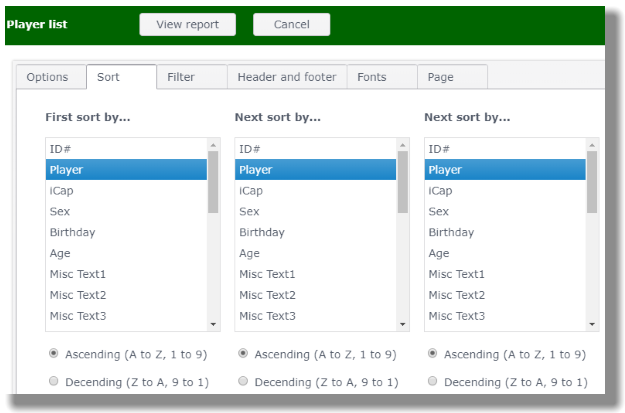
- Click on the Sort tab.
- Select what item to sort on in the First sort by... box.
- If you further need to refine your sorting, use the Next sort by... box(es)
- Click on the View report button at the top to check your sorting.
Select golfers to include
- Open the Main Menu, click on Reports under Roster.
- Click on one of the available reports.
- Click on the Filter tab.
- Make your selections and click on View report.